Price:
Product Designer
Time:
Jun 2024- Aug 2025
Client:
Remote- California
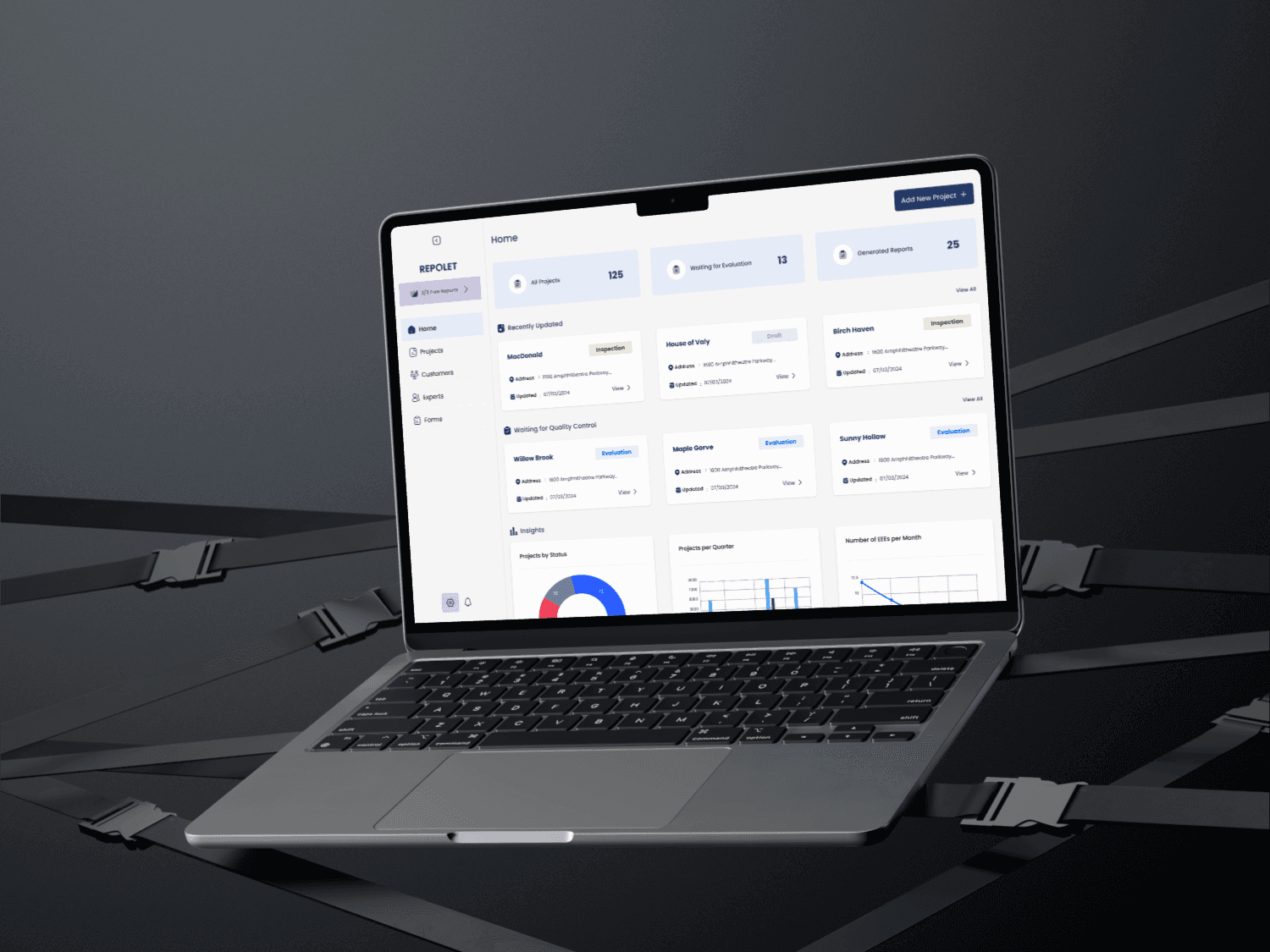

Preventing Empty Compliance Reports: Designing a Quality Control Workflow for Repolet
How research, workflow design, and cross-functional collaboration helped uncover the real cause behind a critical reporting issue.
Sometimes the problem isn't where everyone thinks it is.
While working on Repolet, a compliance platform used by inspection companies to perform SB326 and SB721 inspections, we started receiving reports from customers about a frustrating issue: after paying to generate a compliance report, they would occasionally receive an empty PDF.
At first, the assumption seemed obvious.
The report generation system must be broken.
After all, if a customer pays for a report and receives a blank document, the report generation engine is usually the first place everyone looks.
But after multiple QA sessions, testing different scenarios, and reviewing the report generation process with engineering, we couldn't find a technical issue.
The report generator was working exactly as expected.
Something else was causing the problem
Understanding the Product
Before diving into the problem, it helps to understand how Repolet works.
Repolet is a platform used by inspection companies to manage building inspections and generate compliance reports. The platform serves two primary user groups:
Company Experts (CEX):
Experts visit buildings, inspect Exterior Elevated Elements (EEEs), answer inspection questions, upload evidence, and document their findings.
Company Admins (CAD):
Admins review inspections, manage projects, oversee quality, and generate final compliance reports.
A typical project can contain multiple:
Buildings
Floors
EEEs
Inspection Sections
Questions
Photos and supporting evidence
Depending on the project size, the amount of information can become enormous.

The Problem
Customers paid before generating reports. The cost was based on the number of EEEs included in the inspection. Some projects contained hundreds or even thousands of EEEs.
In some cases, after completing the payment process and generating the report, customers would receive an empty PDF. Even though the system had successfully accepted payment.
This wasn’t just a technical issue.
It affected customer trust, support operations, and the overall inspection workflow.
At that point, nobody knew where the problem was coming from.
We Thought It Was a Bug
Like most teams, we started with the most obvious explanation.
The report generation system had to be failing somewhere.
Together with QA and Engineering, we tested different projects, different data sets, and different report generation scenarios.
The results were surprising.
The report generation engine wasn’t failing.
The system was behaving correctly.
Which meant the problem existed somewhere earlier in the workflow.
That realization completely changed the direction of the project.
Instead of redesigning report generation, we needed to understand how inspection data was being collected and managed.
Learning How Building Inspections Actually Work
Rather than immediately jumping into wireframes, I wanted to understand how inspections happened in the real world.
I spent time studying balcony inspections, reviewing inspection videos, and learning how experts perform their work on-site.
I also worked closely with our Product Manager, Technical Product Manager, QA team, inspectors, and inspection team leads.
Those conversations became one of the most valuable parts of the project.
A recurring pattern started to appear.
Many inspectors collected notes while they were on-site and entered information into the platform later.
Team leads described another challenge:
Reviewing inspection data was difficult because there was no easy way to understand:
What had already been completed
What was still missing
Which parts required attention
Whether an inspection was truly ready for report generation
As projects became larger, this challenge became even harder.
Finding the Real Problem
The issue wasn’t report generation.
The issue was incomplete inspection data entering the report generation process without enough visibility or review.
As we mapped the workflow, it became clear how much information users were managing.
A single report depended on a hierarchy like this:
Project → Building → Floor → EEE → Inspection Section → Question → Evidence → Report
When even a small piece of required information was missing, problems could eventually surface during report generation.
The platform didn’t have a dedicated quality control layer between inspection completion and report generation.
That became our opportunity.

Defining the Design Goals
Working with Product, Engineering, and QA, we identified several goals:
Increase visibility across inspections
Help reviewers identify incomplete inspections
Improve communication between reviewers and inspectors
Reduce ambiguity during review
Prevent incomplete inspection data from reaching report generation
The challenge was that we couldn’t simplify the inspection itself.
The inspection process was heavily influenced by compliance requirements and regulations.
Instead, we needed to improve the workflow around it.
Designing a Quality Control Workflow
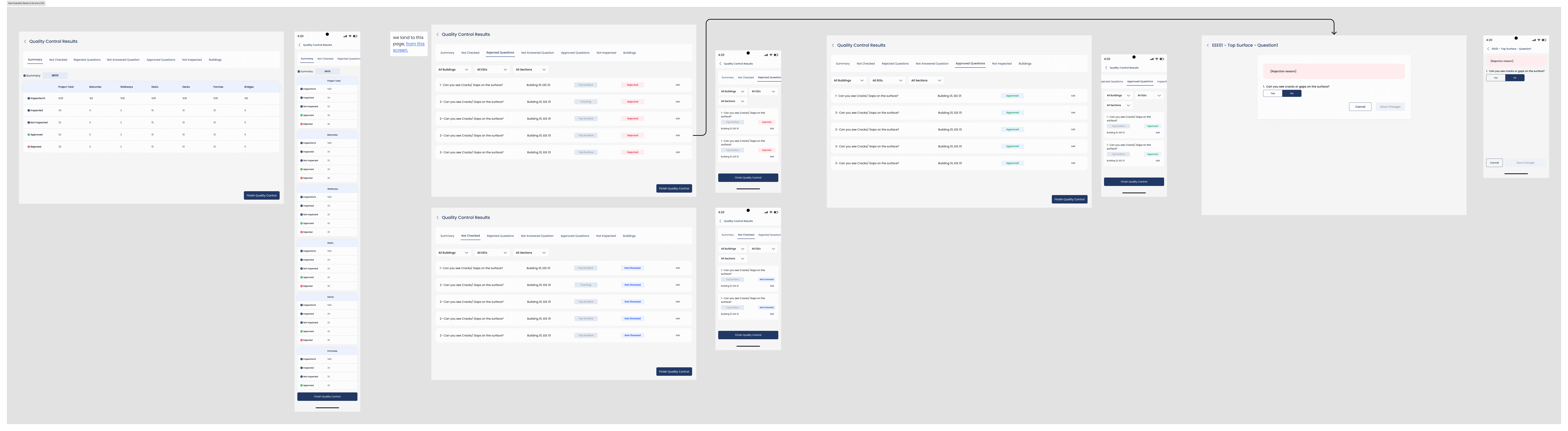
The solution was introducing a dedicated evaluation phase between inspection completion and report generation.
This created a structured review process before reports could be generated.
Admins could now review inspection results, identify issues, and validate information before moving forward.
Making Progress Visible
One of the biggest pain points was visibility.
Users needed a better understanding of where a project stood.
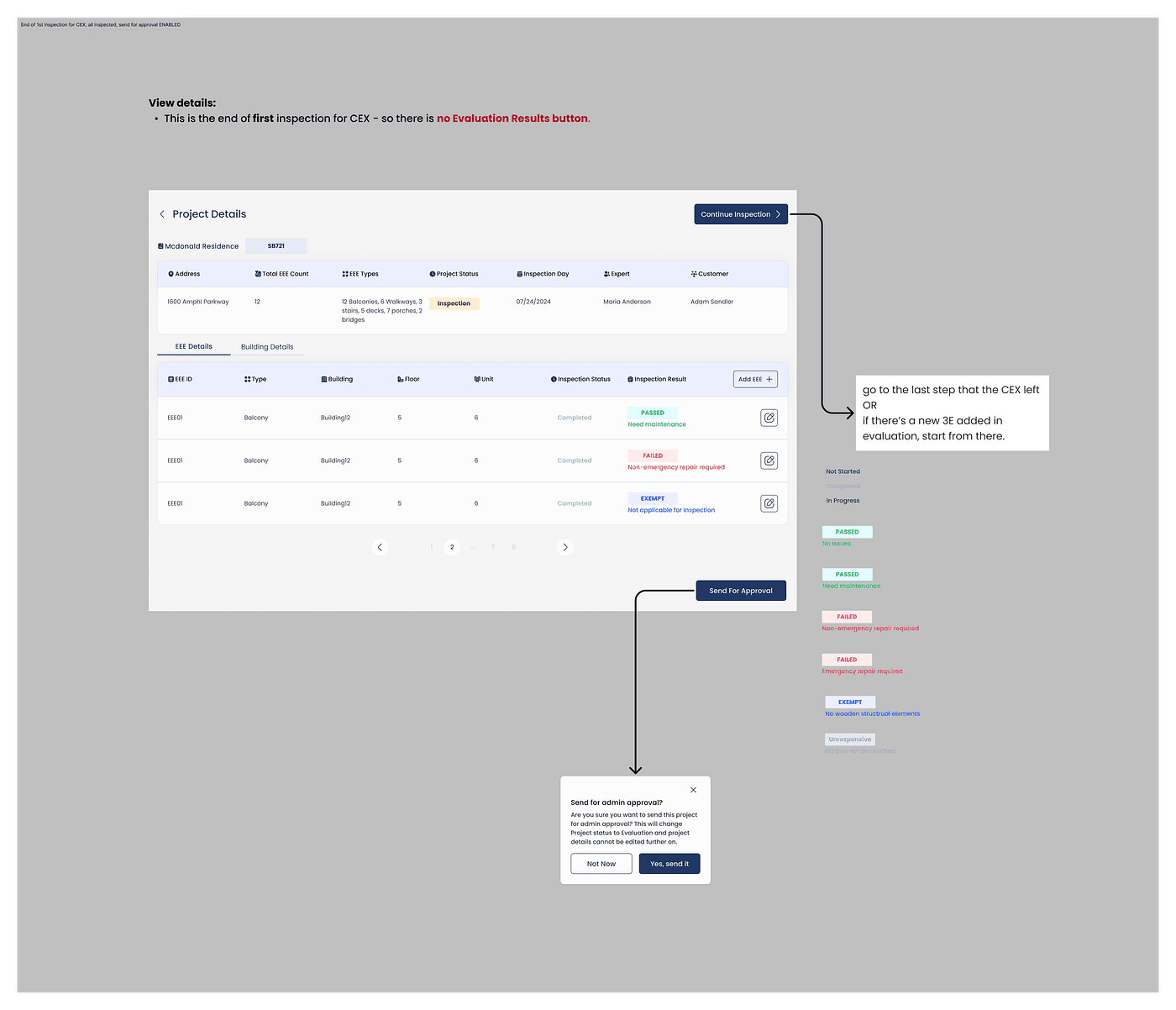
To address this, we introduced clear workflow states throughout the process.
Projects could move through stages such as:
Inspection
Evaluation
Approved
Rejected
This helped both inspectors and reviewers understand project status without digging through large amounts of data.
Press enter or click to view image in full size
Moving Beyond Project-Level Reviews
Another challenge was feedback.
Previously, issues were often communicated at a high level.
That created unnecessary confusion.
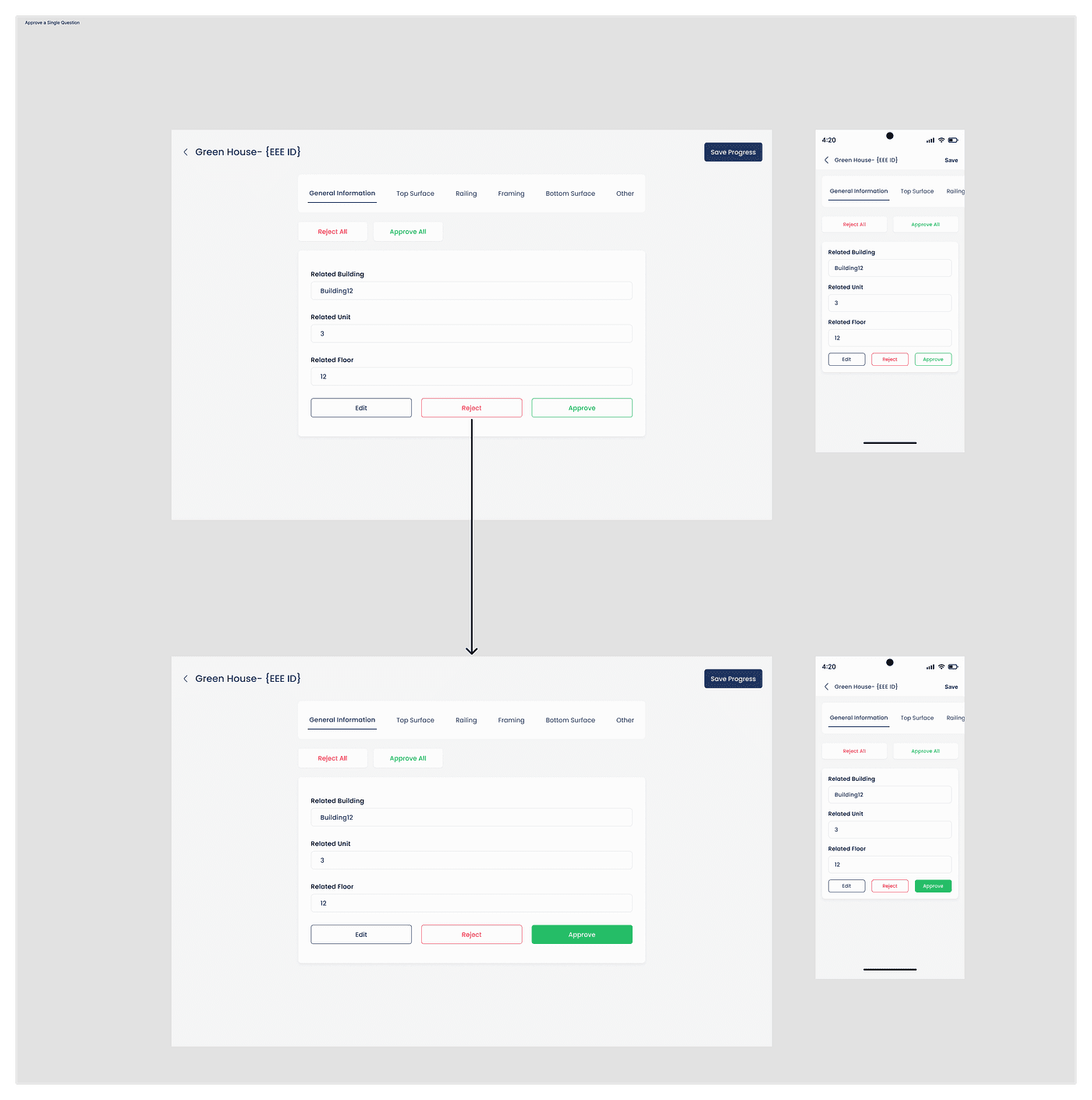
Instead of rejecting an entire project, reviewers needed the ability to identify exactly what required attention.
We introduced granular review capabilities that allowed admins to approve or reject specific inspection entries and questions.
This dramatically improved clarity between reviewers and inspectors.
Instead of hearing:
“Something is wrong with this project.”
Inspectors could understand:
“This specific entry requires attention.”
Press enter or click to view image in full size
Designing for Large Projects
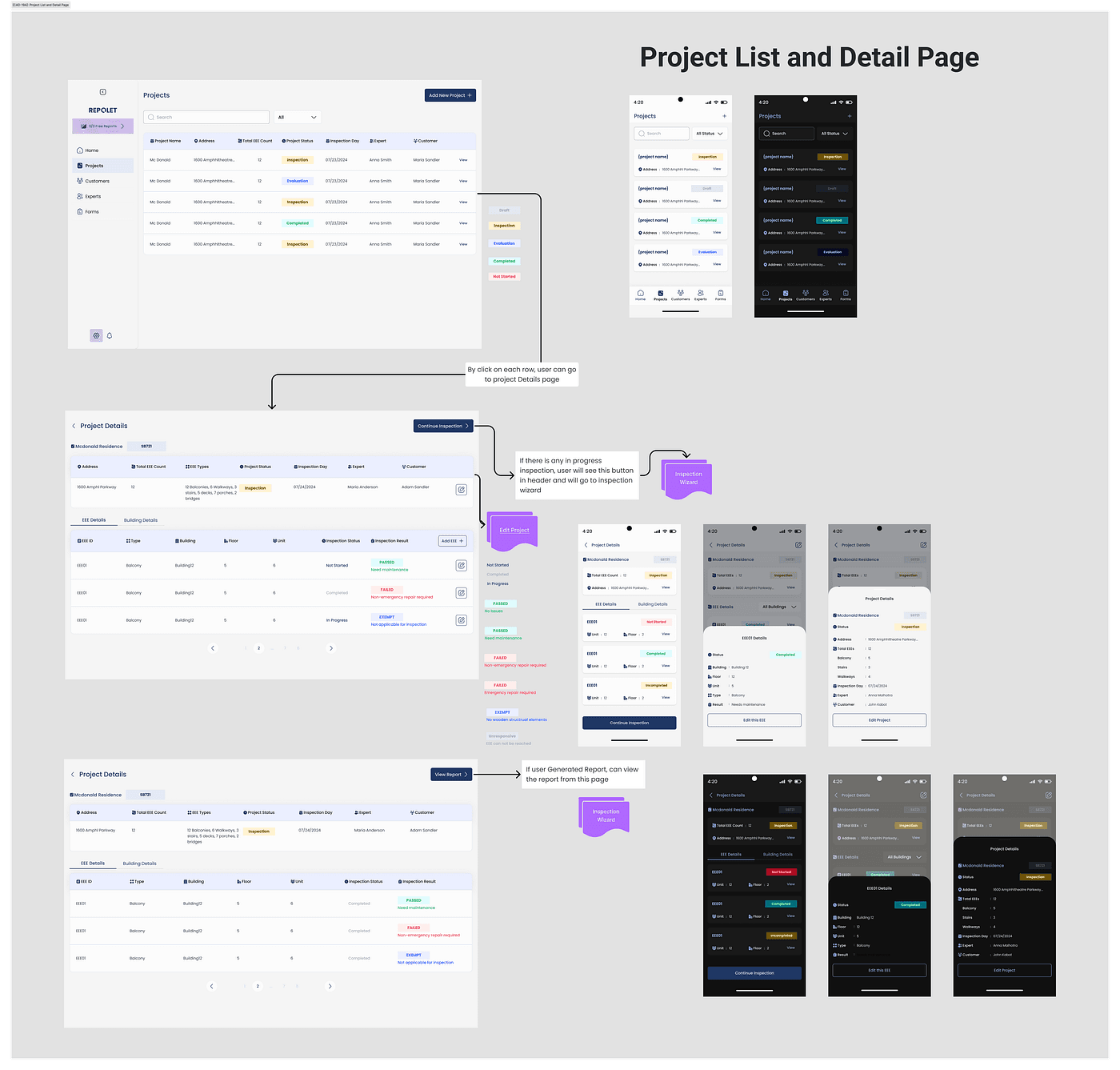
Because projects could contain hundreds or thousands of EEEs, navigation became an important part of the experience.
Users needed ways to:
Find specific entries quickly
Continue where they left off
Understand overall progress
Navigate large projects efficiently
To support this, we designed table-based management views and structured navigation patterns that made large inspections easier to review and manage.
Press enter or click to view image in full size
Iteration, Tradeoffs, and Collaboration
The final workflow wasn’t the first solution.
Or the second.
Or even the third.
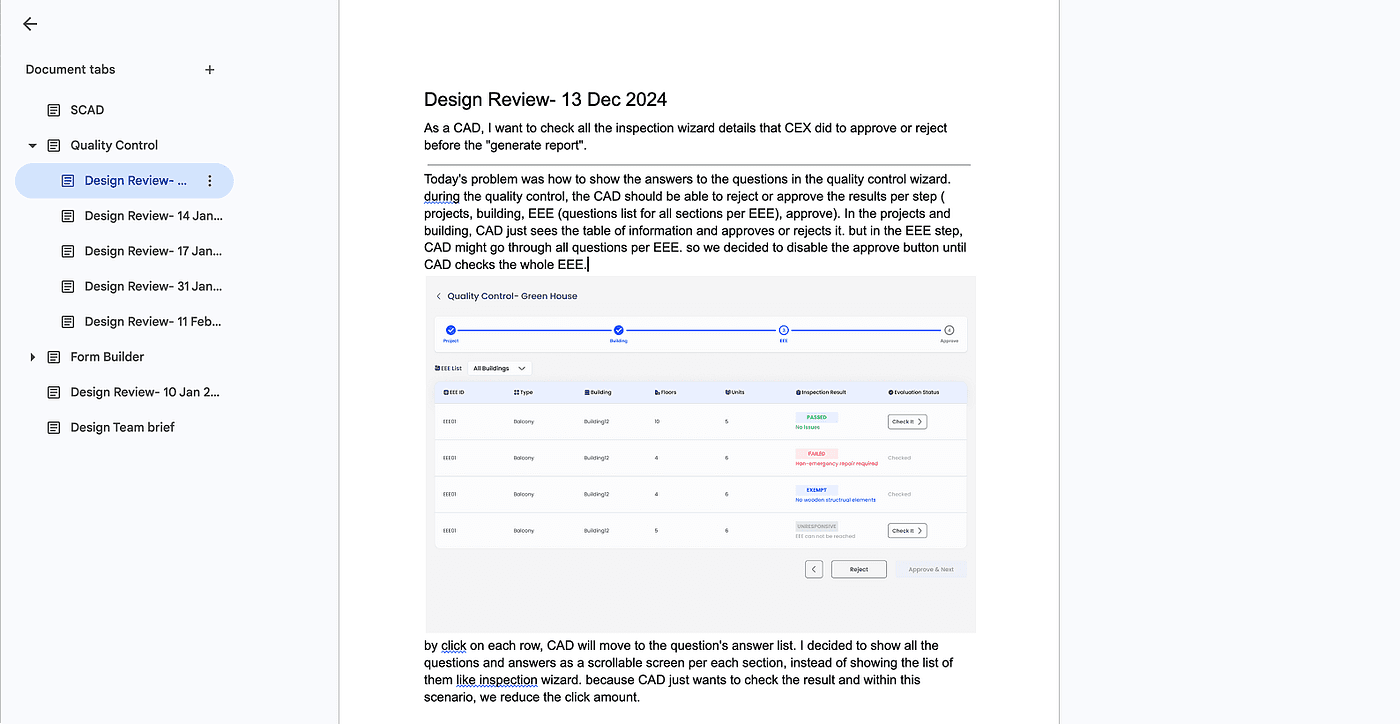
Throughout the project, we explored multiple review models, navigation patterns, approval mechanisms, and evaluation experiences. Some concepts looked promising but introduced too much complexity. Others created unnecessary development effort.
Several ideas were redesigned, simplified, merged, or removed entirely.
This project involved close collaboration with our Product Manager, Technical Product Manager, QA team, and Engineering team throughout discovery, brainstorming, design reviews, implementation planning, and handoff.
Many of the strongest decisions emerged through those discussions rather than from a single design session.
Press enter or click to view image in full size
My Role
This was a highly collaborative project involving Product, Engineering, QA, and Design.
I worked directly with the Product Manager and Technical Product Manager throughout discovery, design reviews, brainstorming sessions, workflow exploration, documentation, and handoff.
My responsibilities included:
Domain research
Collaborating with PM in Stakeholder interviews
Workflow mapping
UI/UX design
Responsive design
Design documentation
Developer handoff
Design system contributions